Motivation for Joining Tables
When learning the SQL required to read information from a database earlier this year, you might have been forgiven for wondering whether some of the queries were very useful.
For example, consider the solution to exercise 10:
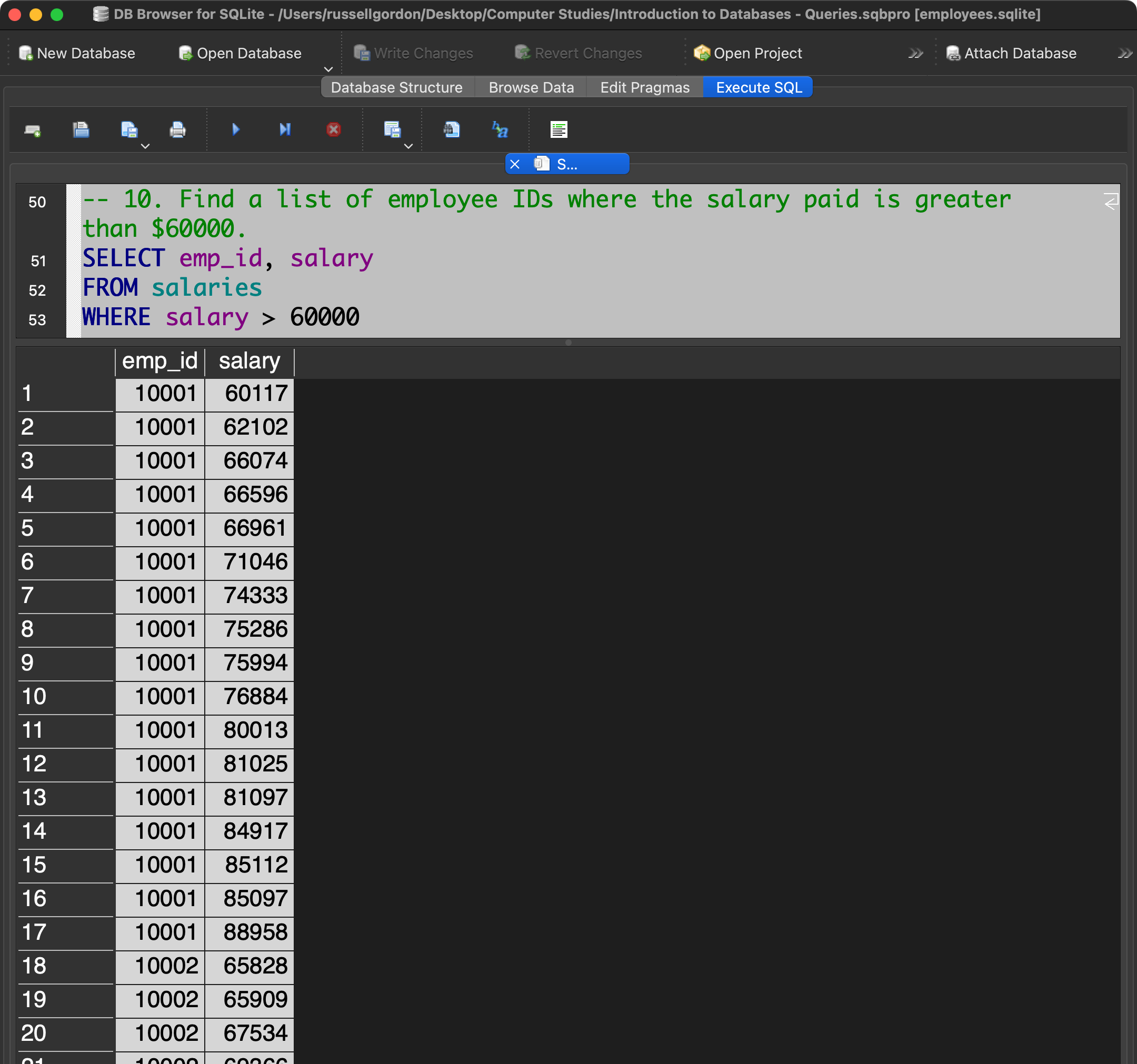
Human beings generally don’t do well with memorizing a lot of numeric IDs.
In addition to the ID number, to be truly useful, what we’d really like to see is the name of employee 10001, 10002, and so on.
Recall that this is the structure of the database in question:
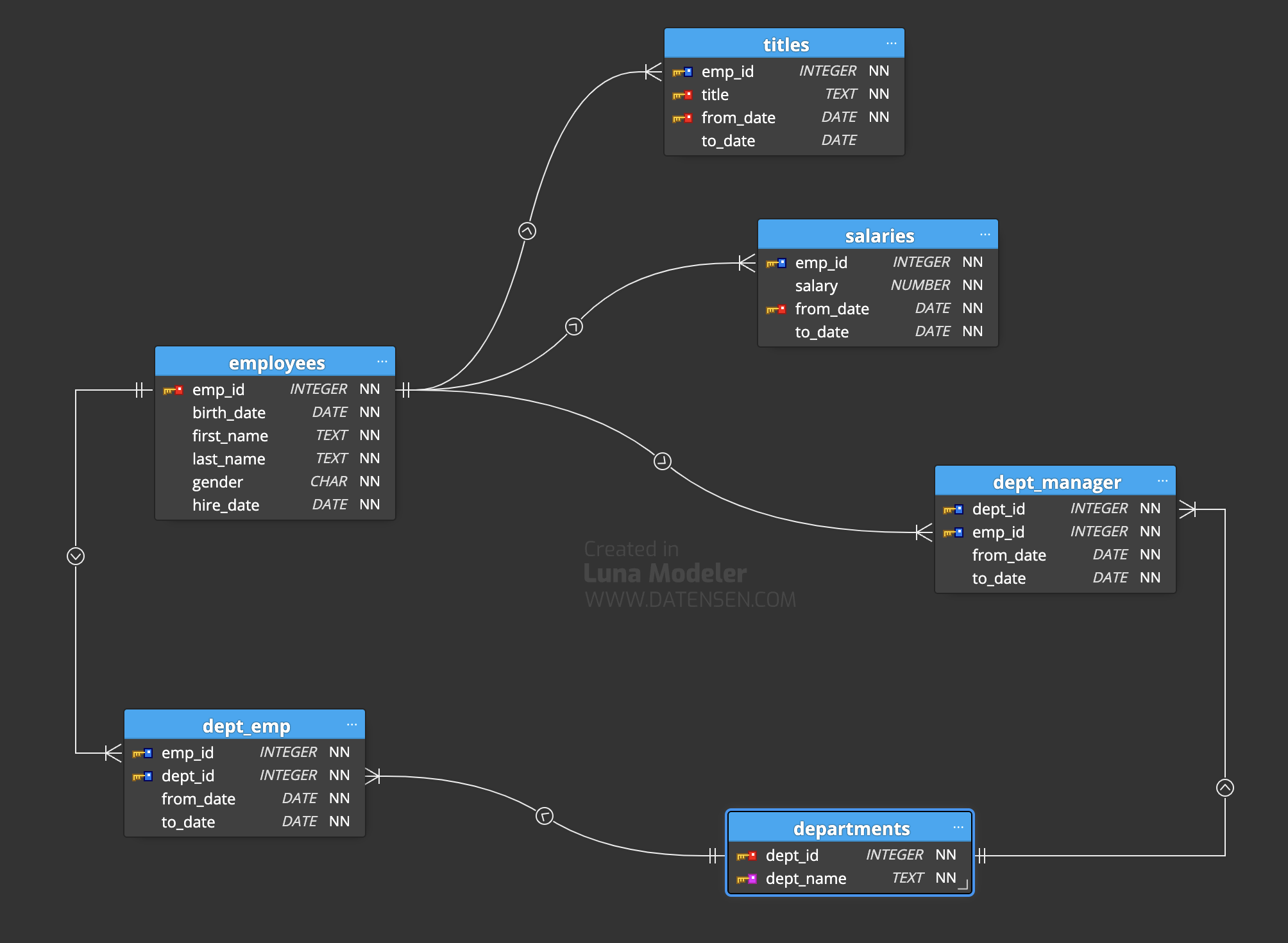
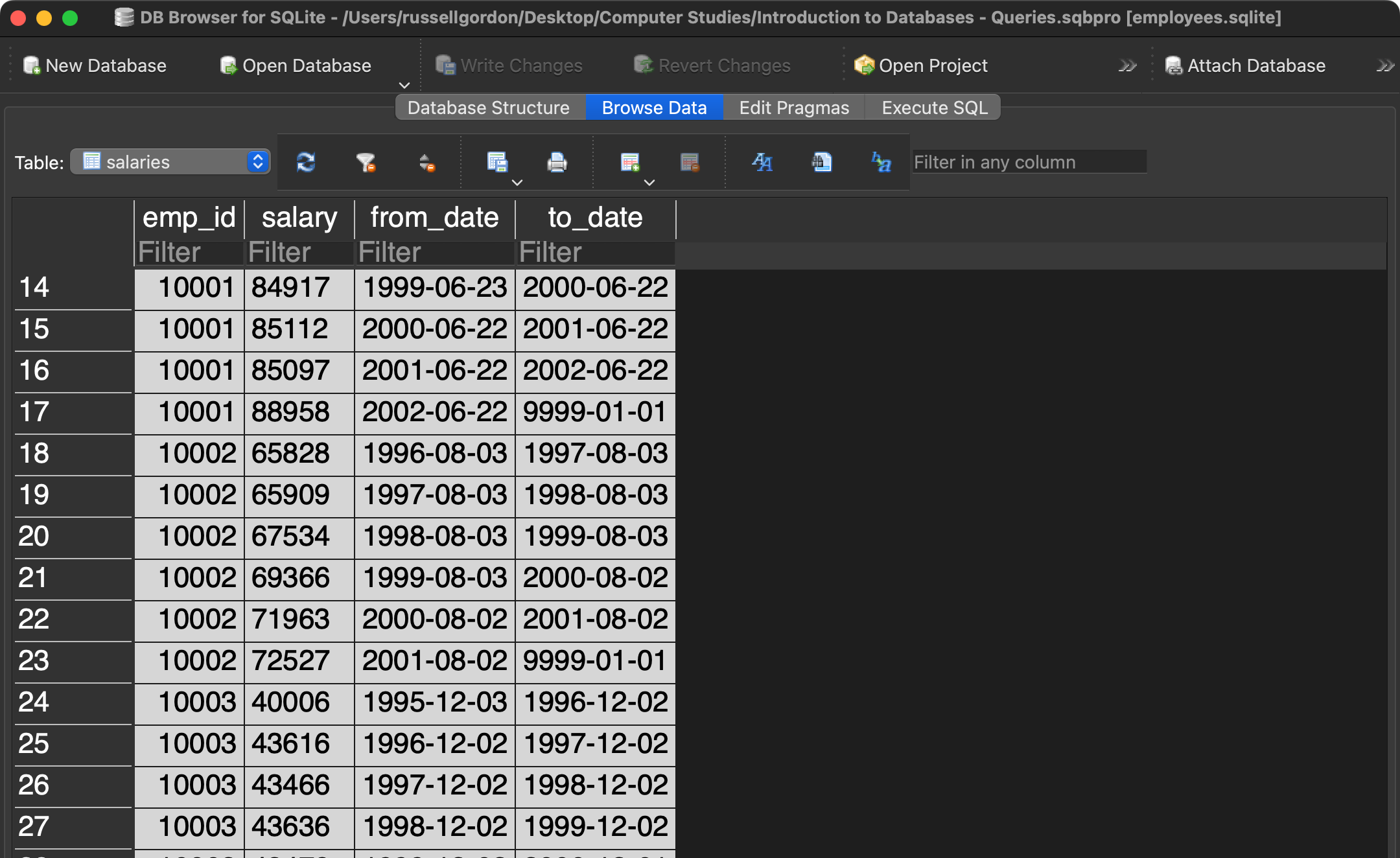
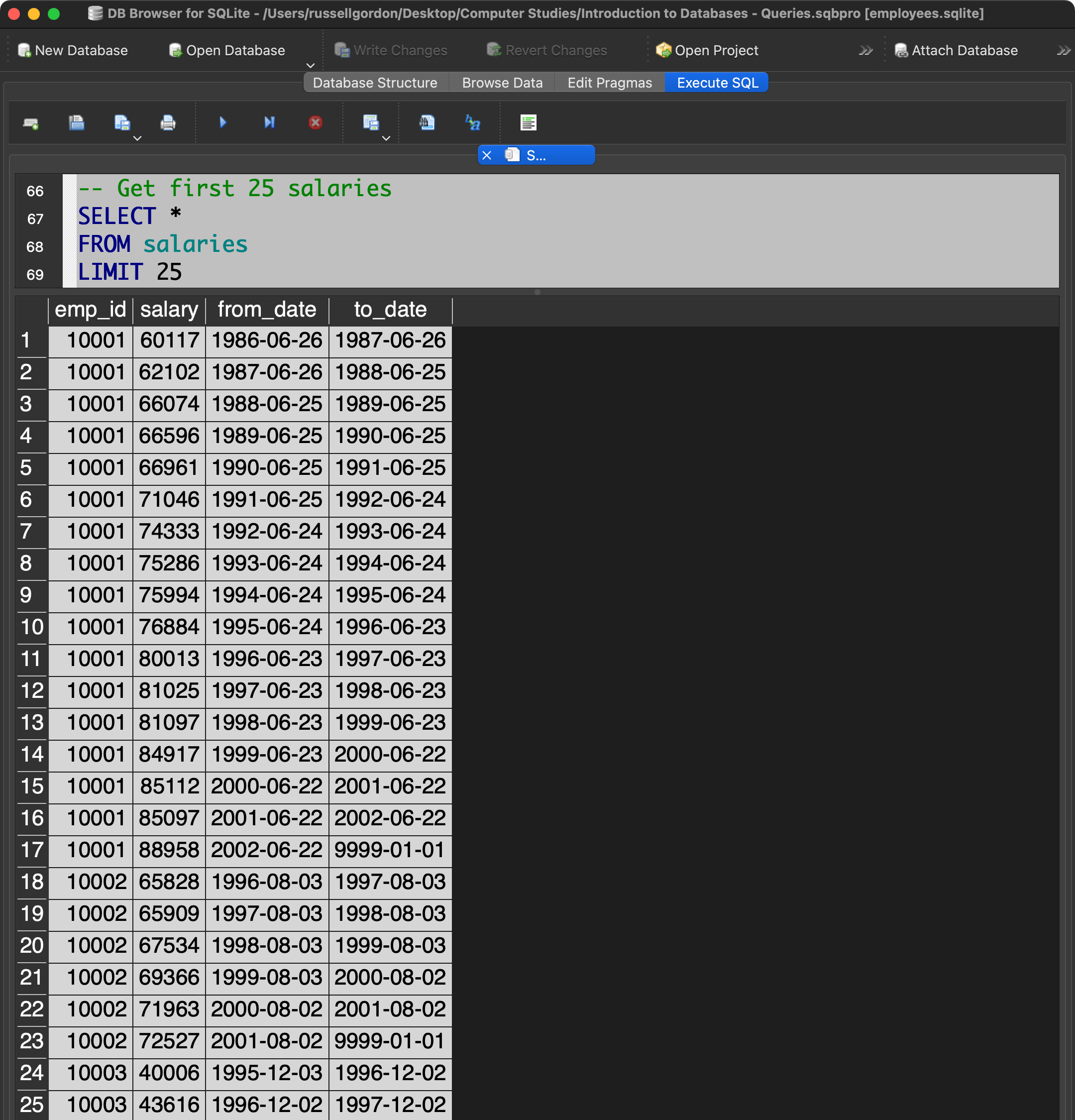
The salaries table holds the salary information we need, but not the employee names:
The employees table holds the names we want to see, but not the salary information:
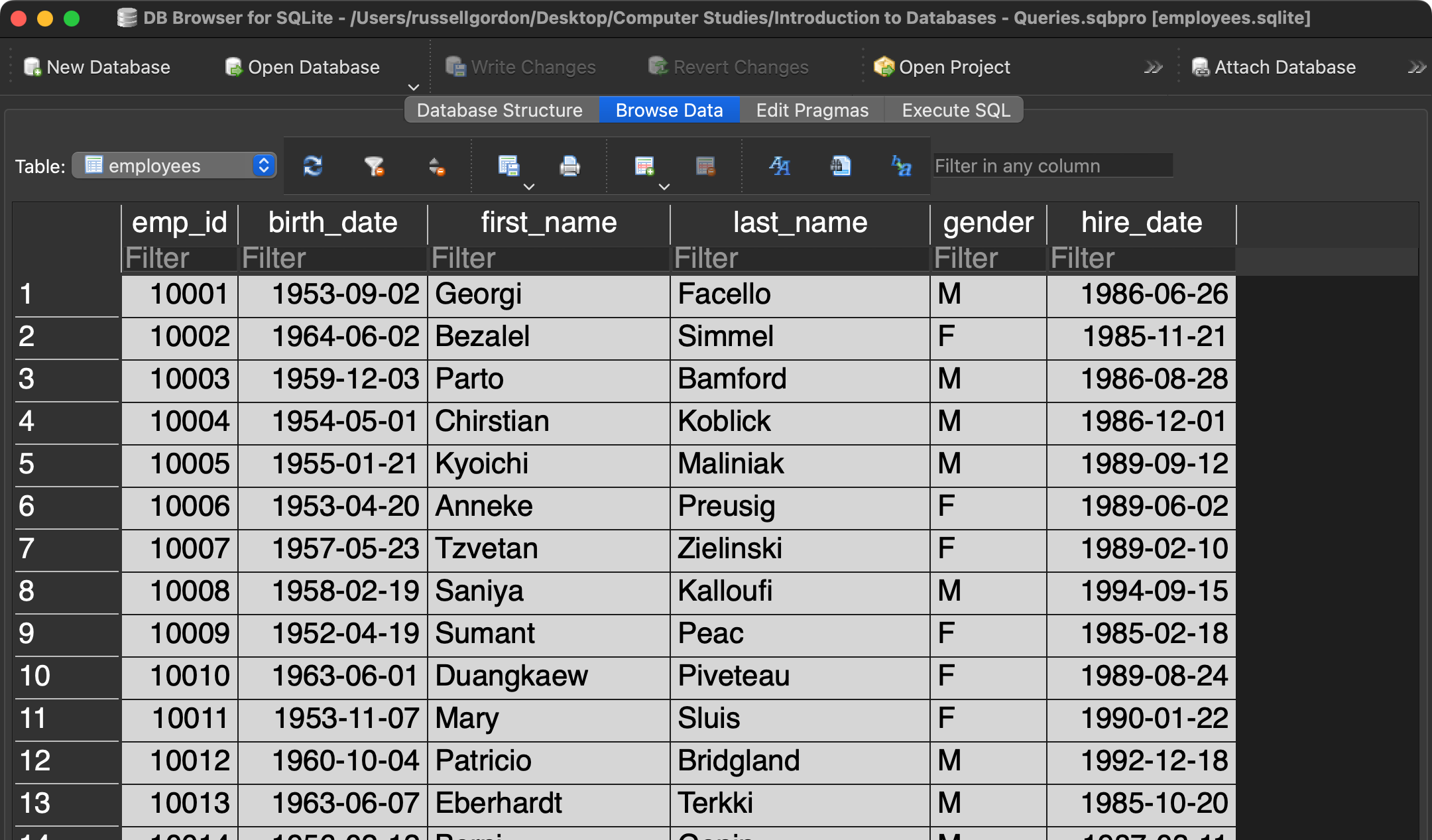
What piece of information do both tables have in common?
What information joins a row of data from one table to the other?
If you look closely, you will see that this is the employee ID, or emp_id.
We can select columns from both tables if we join the tables on the information that they have in common.
Joining Tables
Here is a query that selects all columns from the employees table:
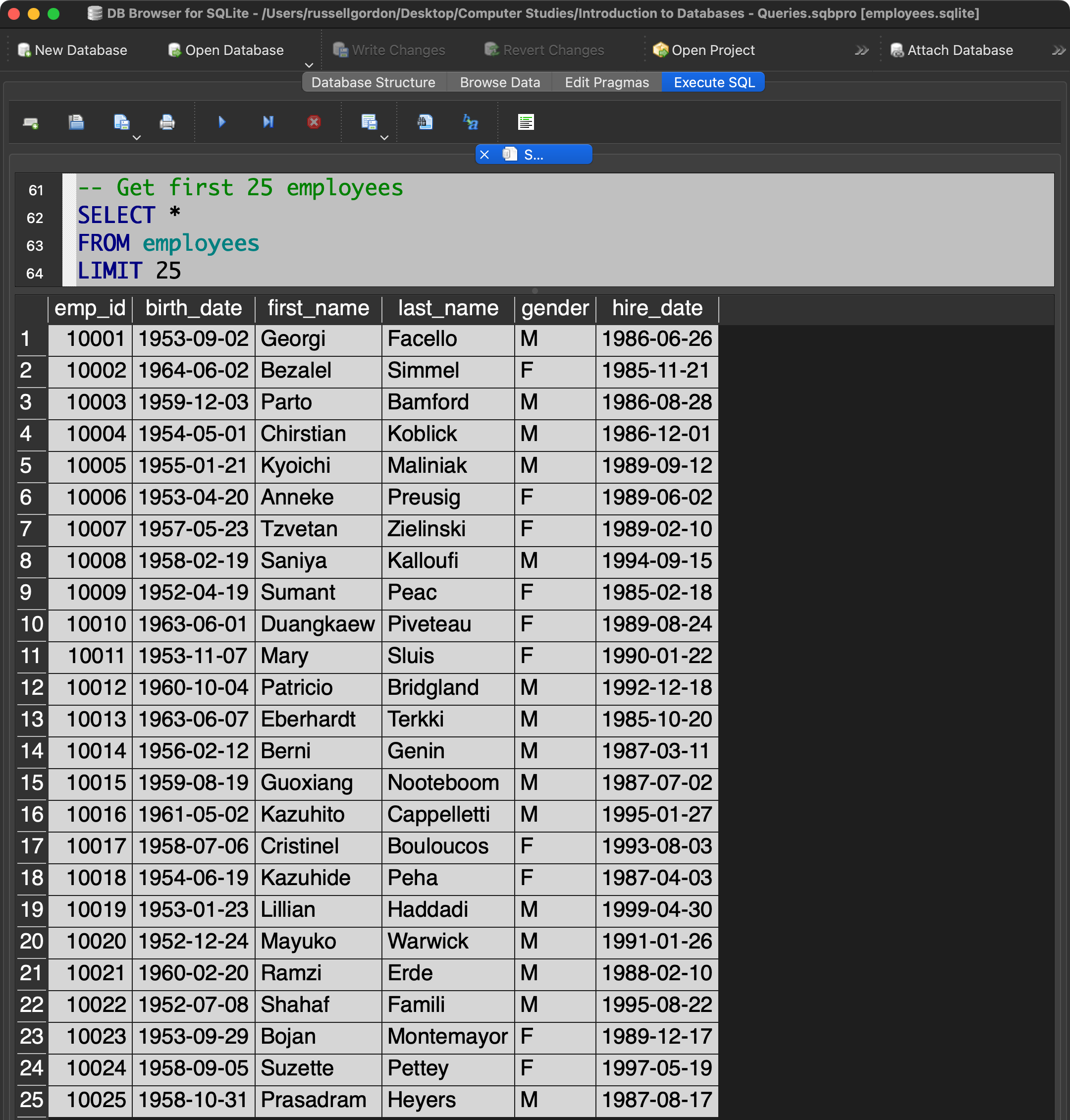
NOTE
We limit the results to just 25 rows to ensure the query runs quickly. Using the LIMIT clause has nothing to do with joining tables.
And here is a query that selects all columns from the salaries table:
Here is a query that joins the tables so that we can see names next to salary information:
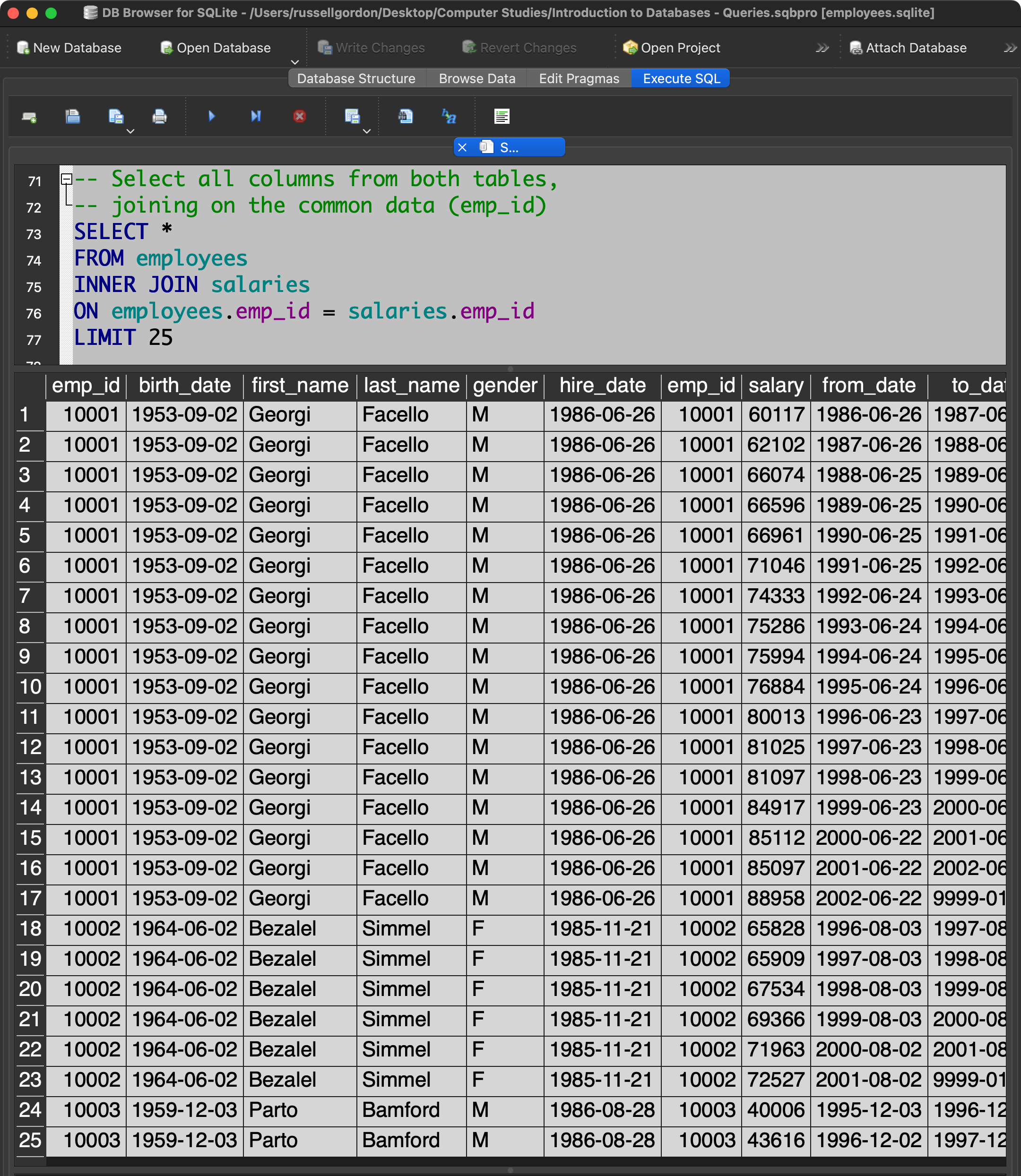
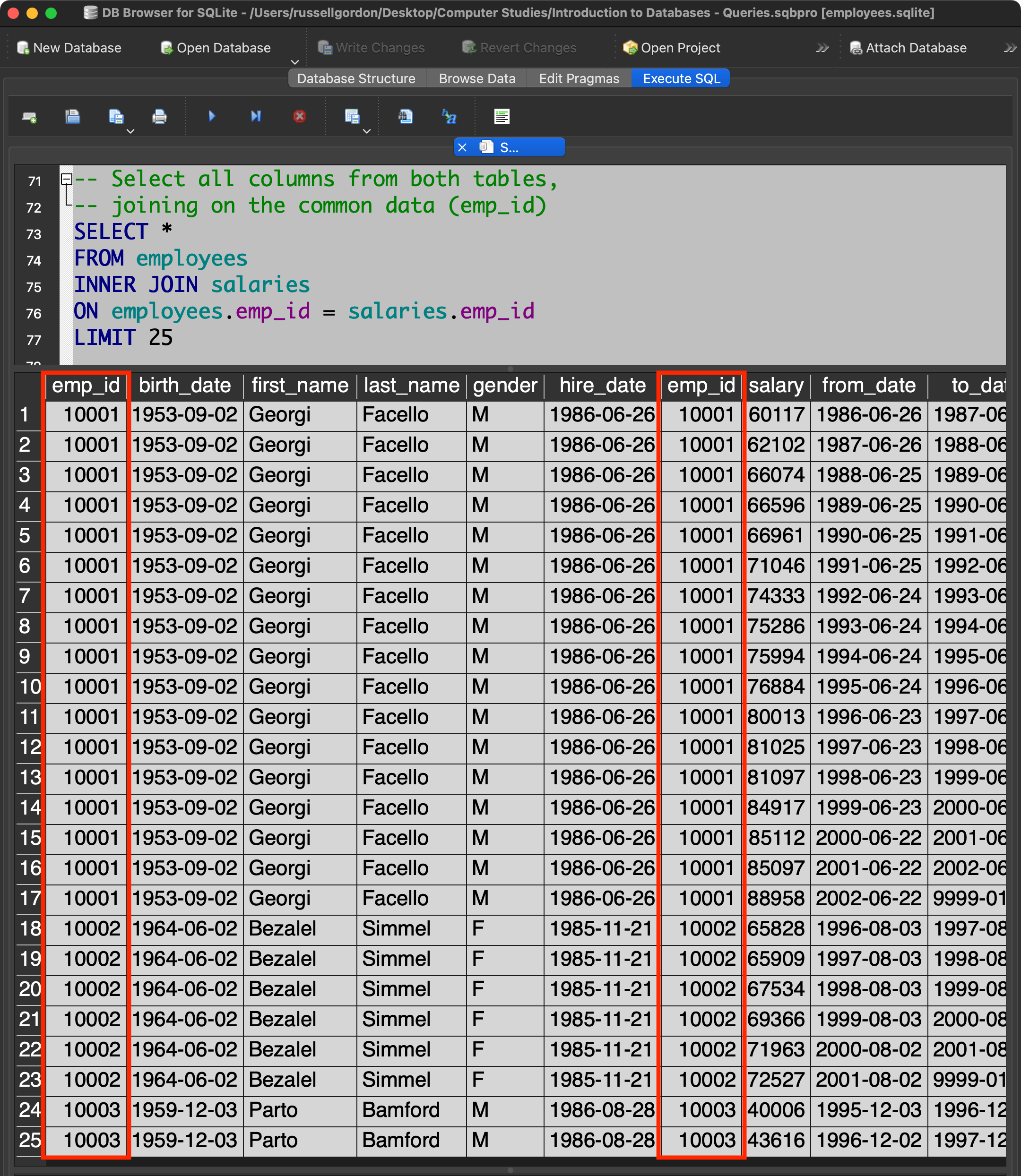
Note that there are two emp_id columns, because that data exists in both tables – it’s the column we used to join the tables together:
Syntax
To be completely clear, let’s break that query down line by line, referring to the line numbers shown in the screenshot.
Line 73
SELECT * All columns are selected.
Line 74
FROM employeesWe have to start somewhere, so first we select from the employees table.
Line 75
INNER JOIN salariesWe tell the database that we also want columns from the salaries table.
Line 76
ON employees.emp_id = salaries.emp_idTo join tables, the database needs to know what columns contain identical information in each table. We tell the database to compare the emp_id column. Rows that have matching emp_id values are joined and returned.
Line 77
LIMIT 25This has nothing to do with joining tables and is included just so the query runs quickly.
Improving the Original Query
Of course, we do not have to select every column from both tables when performing a join.
Let’s return to the original query we examined:
We can make this query more useful – if we join the employees table based on the fact that we know the emp_id column contains identical information:
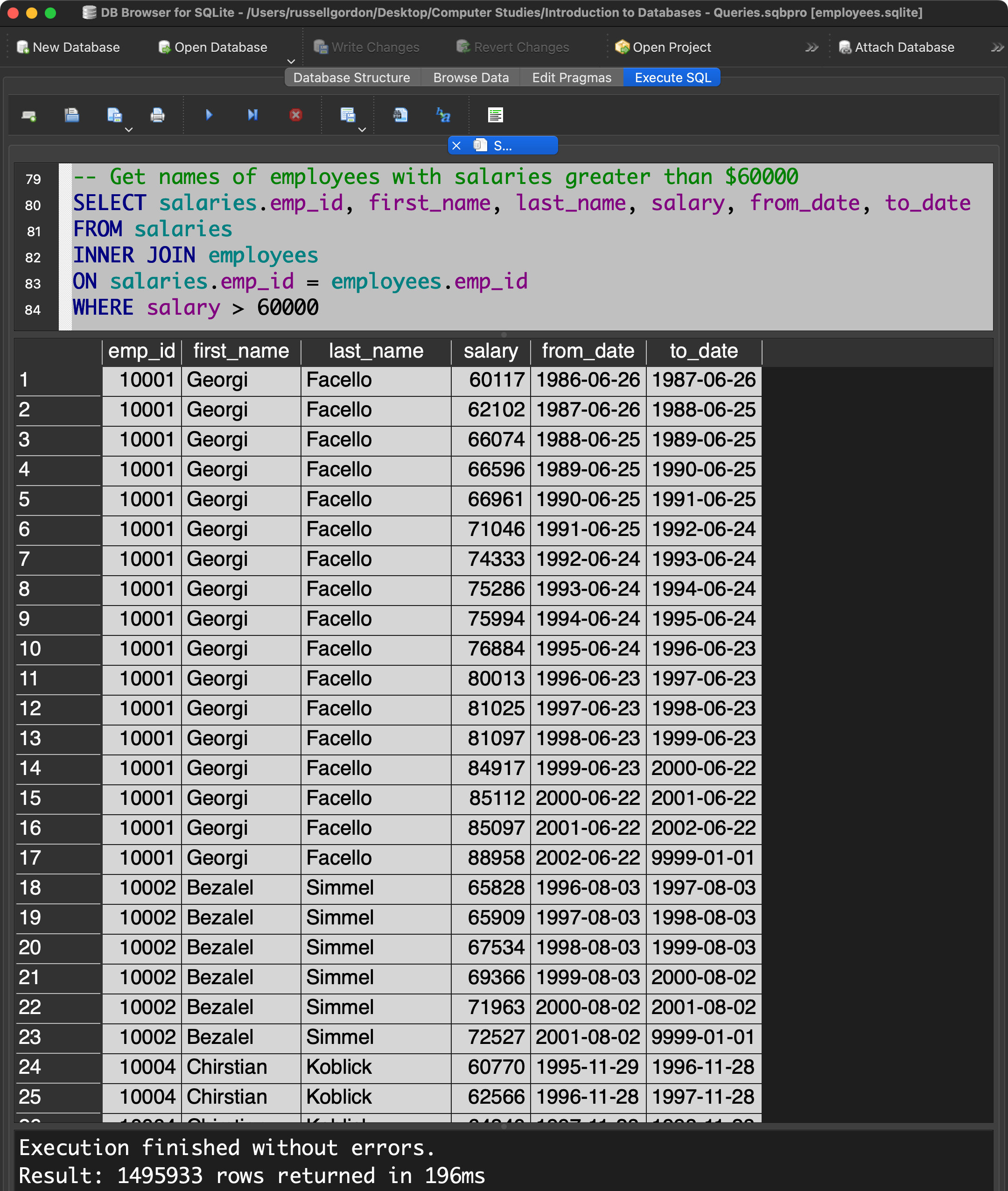
Now we have each employee ID right next to the employee’s name. 🎉
NOTE
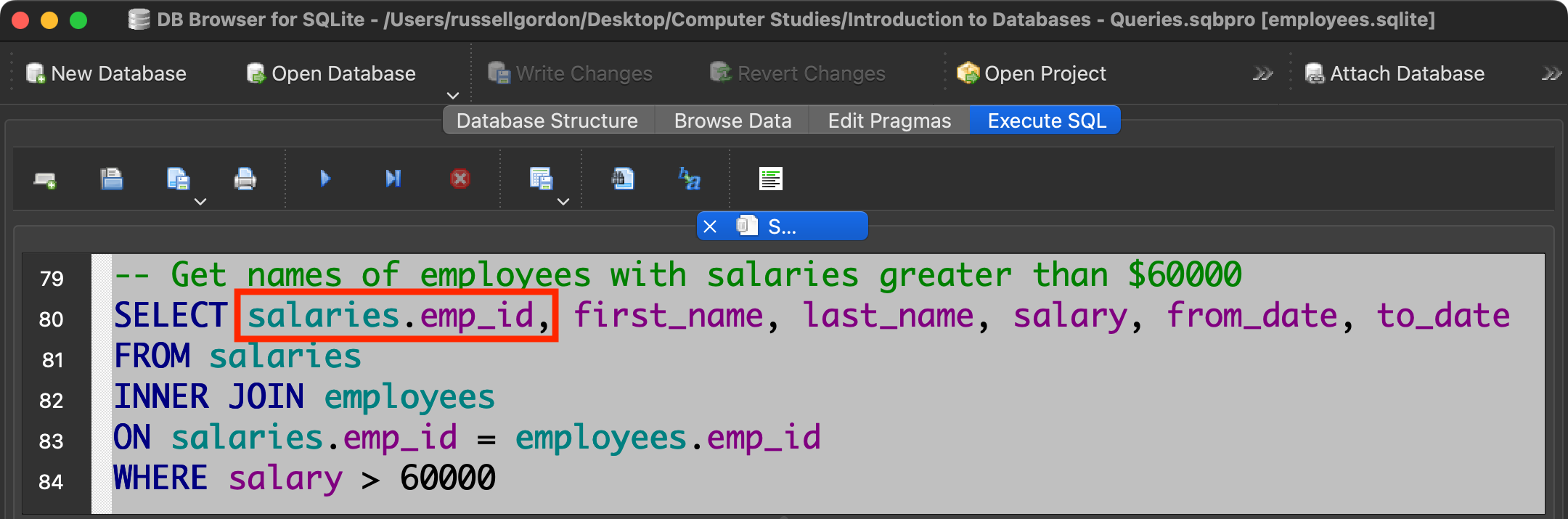
On line 80 we had to specify the table name when indicating that we want to select the employee ID:
Why did we have to do this?
If you’re not sure, please review the lesson above, taking care to observe the results when all columns are selected from two joined tables.
Or, try running this query again without
salaries.in front of theemp_idcolumn identifier. What error message do you receive from the database?
Final notes
You might wonder – how do you know what column to use when joining tables?
In the example above, you were walked through the join operation.
How would you know, on your own, what columns to use?
The answer lays in the database structure diagram:
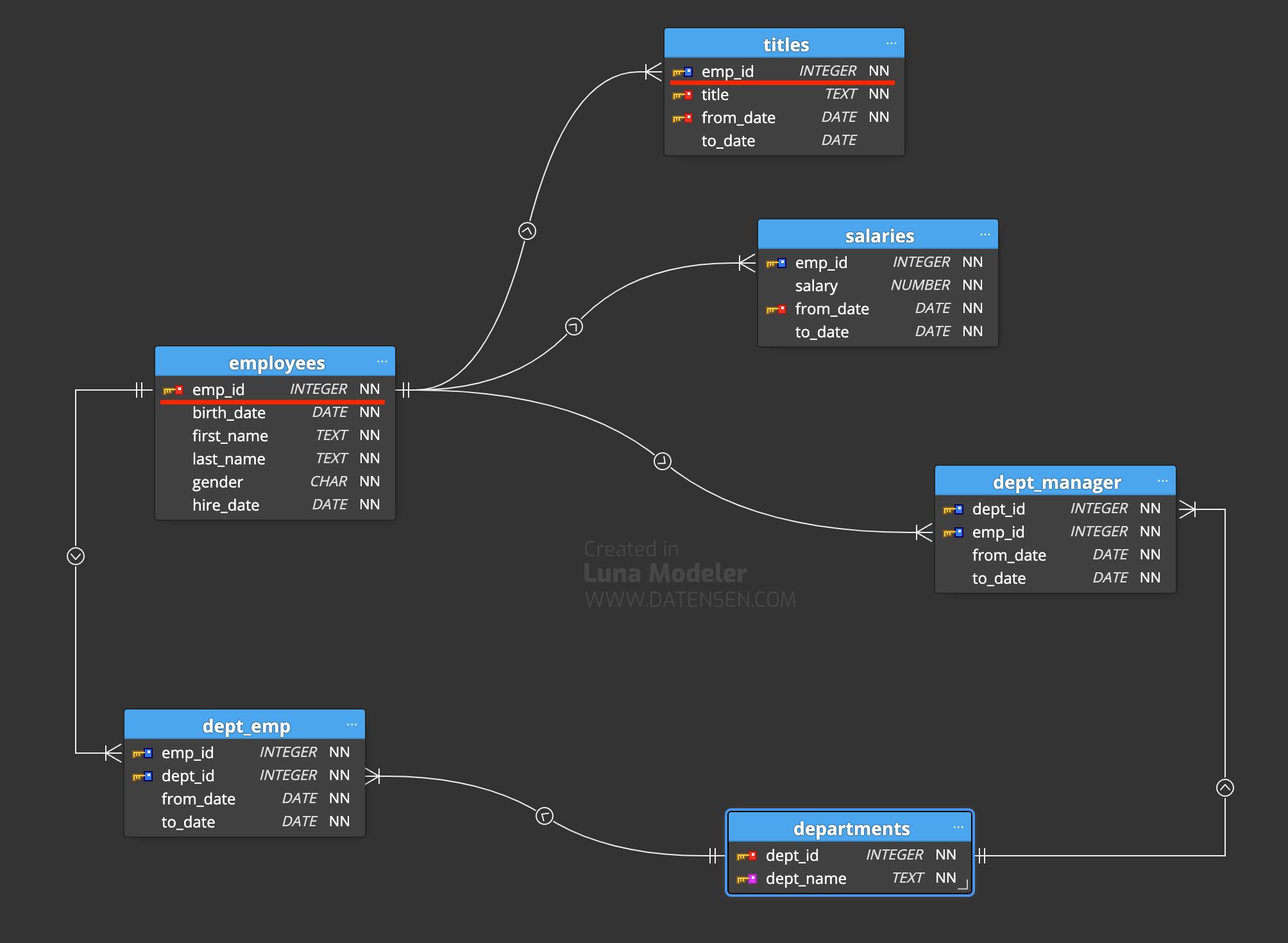
Notice that the emp_id column appears in both the employees table and the titles table.
The identical column is connected by a line between those tables.
This is your visual cue – look for the same column name in both tables, and the connecting line.